Folian

AI writing software for serious authors

The AI writing OS for authors building complex stories

Folian is a private writing workspace for novelists, series writers and long-form authors who need more than a blank document.

Draft your manuscript, manage your story bible, protect canon, save decisions and use AI writing support without losing control of the book.

Built for novels, fantasy worlds, series fiction, memoirs, nonfiction books, scripts and long-form story projects.

The problem

Most writing apps were not built for stories that grow complicated.

A serious writing project is more than a document.

Your manuscript needs chapters, scenes, characters, locations, worldbuilding, revision notes, story logic and decisions that still make sense months later.

Generic AI writing tools can generate text, but they often lose the story. Notes scatter. Canon drifts. Character details change. AI suggestions disappear into chat history. The bigger the project gets, the harder it becomes to keep the truth straight.

Folian is built for that problem. It gives authors a writing OS where the manuscript, story bible, canon, decisions and AI support each have a clear place to live.

The promise

Write faster without handing the story over to the machine.

Folian is not an AI novel generator.

It is an AI writing app for authors who still want control. Use AI for drafting, revision, critique, continuity checks, chapter planning and structured suggestions. Then decide what becomes manuscript, what becomes canon, what becomes a saved decision and what gets discarded.

Folian helps you move from idea to draft to revision without losing the choices that shaped the story.

  • Draft scenes with project context close at hand
  • Organise characters, locations, lore and world rules in a story bible
  • Keep canon stable across long manuscripts and series
  • Save options, questions and chosen directions in Decisions
  • Use AI writing assistance without silent rewrites or hidden retcons
  • Export clean manuscript and handoff files when the work is ready

Story writing OS

A story writing OS, not another blank page.

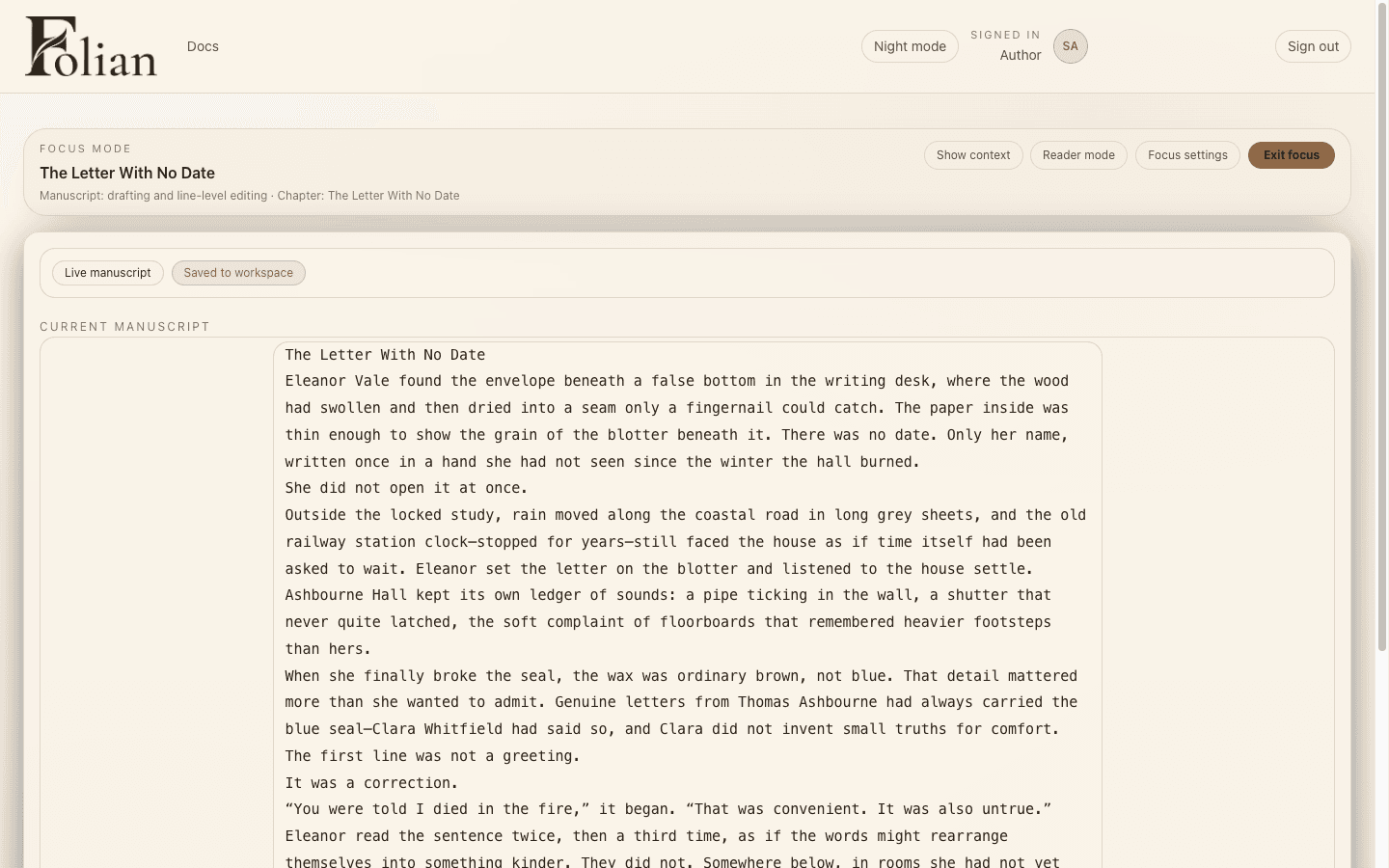
Folian gives every layer of long-form writing its own place. The manuscript stays central. The story bible holds durable truth. Decisions keep unresolved thinking visible. Chapters carry structure, pacing and reveal limits. Scenes hold the prose. AI helps from inside that system instead of acting like a separate chatbot.

That is what makes Folian different from a normal writing app, a notes database or a generic AI writing tool.

Manuscript

The writing surface for scenes, chapters and long-form prose.

Story Bible

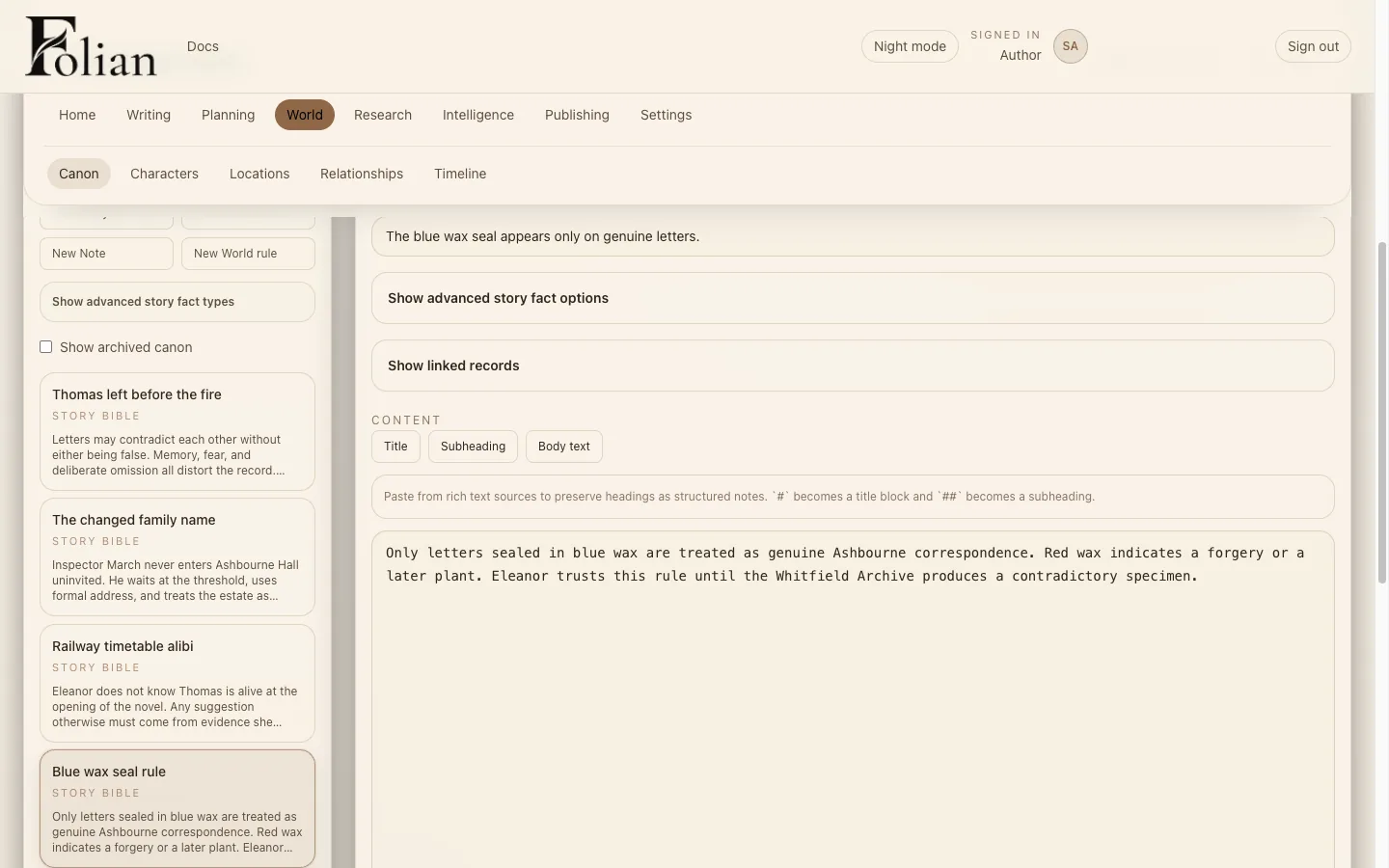
A structured home for canon, characters, locations, worldbuilding, timelines and lore.

Decisions

A place to save ideas, options, rejected paths, open questions and chosen directions.

AI Assistance

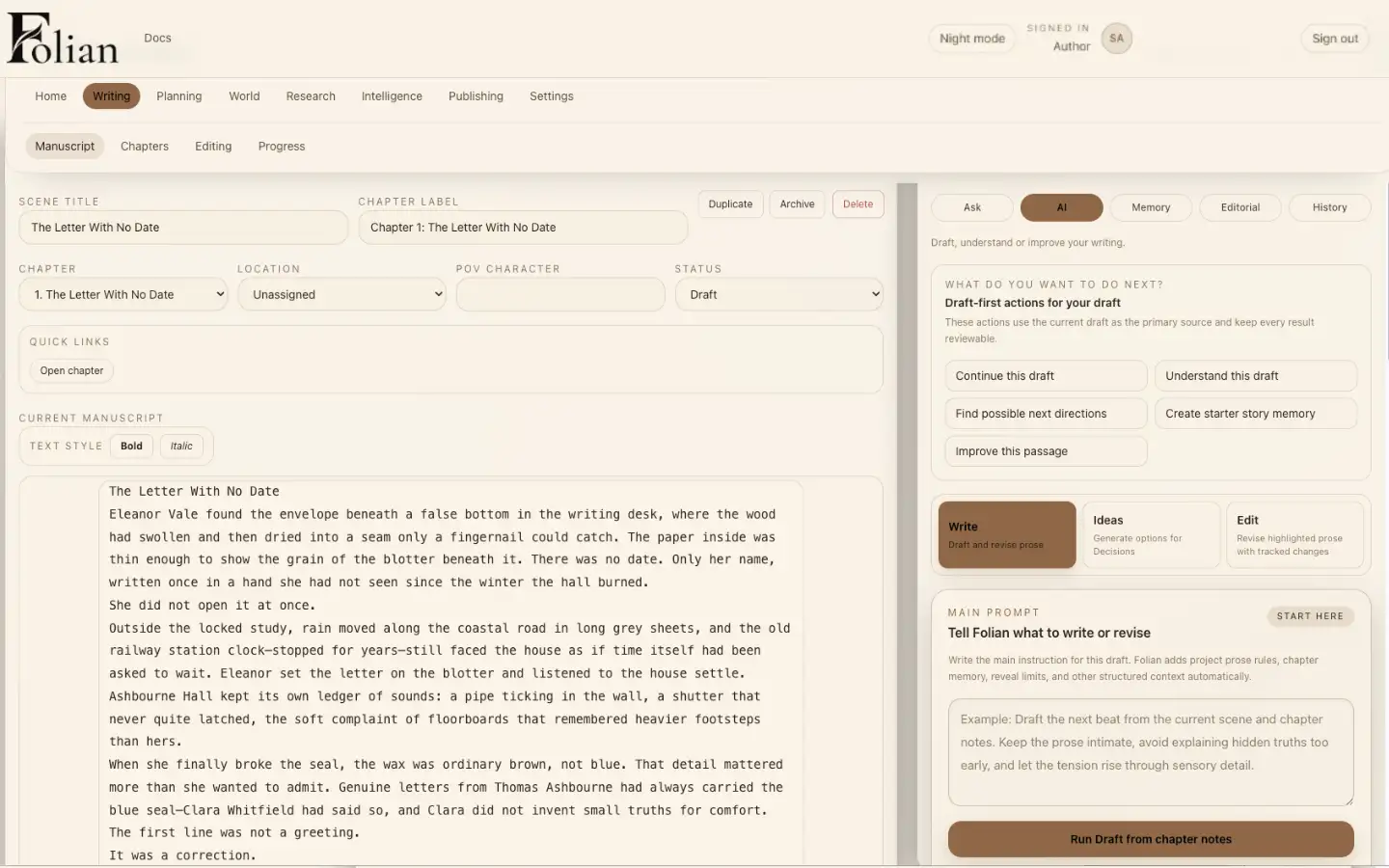
Context-aware support for drafting, revision, critique, analysis and planning.

How it works

From story idea to final manuscript, keep the project coherent.

Step 1

Build your story foundation

Start with the premise, project type, tone, voice, world rules and story bible. Add only the structure your project actually needs.

Step 2

Draft with your canon nearby

Write chapters and scenes while keeping characters, locations, worldbuilding and story rules visible and consistent.

Step 3

Use AI with context and boundaries

Ask for drafting help, revision support, story options, continuity checks or editorial critique. Folian uses the project context you choose.

Step 4

Save what matters

Turn useful AI output into manuscript text, Decisions, chapter memory, canon entries or revision notes. Nothing important has to vanish into chat history.

Step 5

Revise and export

Use editing workflows, snapshots and export tools to move from rough draft to polished manuscript or handoff file.

Features

Built for the realities of serious creative work.

AI writing support for authors

Draft, revise, analyse and critique with AI that works from your project context instead of a blank prompt.

Novel writing software for complex manuscripts

Organise chapters, scenes, revision notes and manuscript structure without turning the work into a mess of files.

Story bible and canon management

Keep characters, locations, world rules, history, lore and reveal-sensitive truth in one structured workspace.

Decisions workspace

Save options, questions, editorial concerns, rejected paths and chosen directions so your reasoning stays visible.

Chapter and scene planning

Create chapter briefs, scene goals, reveal boundaries, pacing notes and revision targets before drafting.

Continuity-aware workflows

Give the AI access to relevant canon, chapter memory, style guidance and open decisions when the task needs it.

Editing and revision support

Use critique, rewrite suggestions, tracked editorial thinking and safer revision workflows before applying changes.

Private desktop writing app

The first tester build stores projects locally on your computer and works without cloud sign-in.

Export tools

Take your work out of Folian as manuscript bundles, document-shaped outputs and handoff files.

AI control

AI writing help without losing authorship.

Many AI writing tools treat the chat as the workspace.

Folian treats AI as one part of the writing system.

AI output appears for review before it touches the manuscript. You can apply it, refine it, save it as a decision, turn it into canon or reject it. The assistant should support the book, not quietly rewrite the truth behind it.

  • Choose the source scope for AI tasks
  • Use AI for drafting, revision, analysis and critique
  • Review AI proposals before applying them
  • Keep canon changes visible and intentional
  • Save useful ideas into Decisions
  • Preserve style with project prose rules and style guidance
  • Use AI only when it helps

The goal is not to generate more text.
The goal is to help writers make better decisions and protect the story as it grows.

Story bible software

Keep your story bible connected to the manuscript.

A story bible is only useful if it stays close to the writing.

Folian keeps canon, characters, locations, worldbuilding, lore, timelines, relationships and reveal rules connected to the manuscript and chapter structure.

If a scene creates durable truth, you can promote it into Canon. If an idea is still uncertain, save it into Decisions. If a chapter needs to remember a chosen direction, keep it in chapter memory.

Your story bible becomes a working part of the writing process, not a separate document you forget to update.

Private desktop writing app

Built for private, local writing.

The first Folian tester build is a local desktop writing app for a single writer using one Windows computer.

Your projects are stored locally on your machine. You can create, edit, save, reopen, back up and export projects without cloud infrastructure.

AI is optional. If you use it, you add your own API key. If you do not, Folian still works as a structured writing workspace.

  • Local desktop app for Windows testing
  • Projects stored locally on your computer
  • No cloud sign-in required for the tester build
  • Backup and export tools included
  • AI works only after you add your own API key
  • Writing workspace works without AI

Who it is for

For writers whose projects have too much truth to keep in their head.

Folian is for authors who are building books, worlds and long-form projects that need structure without creative clutter.

Novelists

Use Folian as novel writing software for drafting, chapter planning, revision and long-form manuscript control.

Fantasy and worldbuilding writers

Manage canon, lore, locations, factions, magic systems, history and reveal order in one story bible.

Series authors

Track continuity, recurring characters, unresolved arcs, cross-book story truth and long-term canon.

Memoir and nonfiction writers

Organise chapters, sections, references, people, places, decisions and exportable drafts.

Screenwriters and scripted storytellers

Plan scripts, series, acts, episodes, scenes, dialogue, story maps and franchise continuity.

Writers using AI carefully

Use AI writing assistance without giving up control of voice, canon, decisions and authorship.

FAQ

Common questions about Folian.

What is Folian?
Folian is an AI writing OS for authors. It combines manuscript drafting, story bible software, canon management, chapter planning, revision workflows and controlled AI writing support in one private writing workspace.
Is Folian AI writing software?
Yes, but Folian is not just an AI text generator. It is AI writing software for authors who want drafting, revision, critique and planning help while keeping control of the manuscript, canon and creative decisions.
Can Folian help me write a novel?
Yes. Folian is built as novel writing software for long-form projects. You can plan chapters, draft scenes, manage characters, track worldbuilding, save decisions, revise prose and export manuscript files.
Does Folian include story bible software?
Yes. Folian includes a story bible and canon workspace for characters, locations, timelines, world rules, lore, factions, backstory and reveal-sensitive information.
How is Folian different from a chatbot?
A chatbot is a conversation. Folian is a writing workspace. Your manuscript, canon, decisions, chapters, scenes, revision notes and AI output are organised inside the project instead of being trapped in one long chat thread.
How is Folian different from Scrivener or Notion?
Folian is built around structured story work and controlled AI assistance. It connects manuscript drafting, story bible management, canon, decisions, revision and AI support in one writing OS for authors.
Can I use Folian without AI?
Yes. Folian still works as a private writing workspace without AI. AI support is optional and only works after you add your own API key.
Where is my writing stored?
The first Folian tester build stores projects locally on your computer. It is designed for private single-writer desktop use with local backup and export tools.

Early access

Join the Folian waitlist.

Folian is moving through early desktop testing. Join the waitlist to get development updates, early access opportunities and launch information for a writing OS built for serious authors.

Join the Waitlist

No spam. No noise. Just Folian updates, tester access and launch information.