Folian

A writing OS for serious manuscripts

Folian brings the manuscript, story bible, canon, planning, editing, publishing notes and optional AI context into one local-first desktop workspace, built for authors evaluating serious novel writing software or a structured alternative to scattered docs and notes.

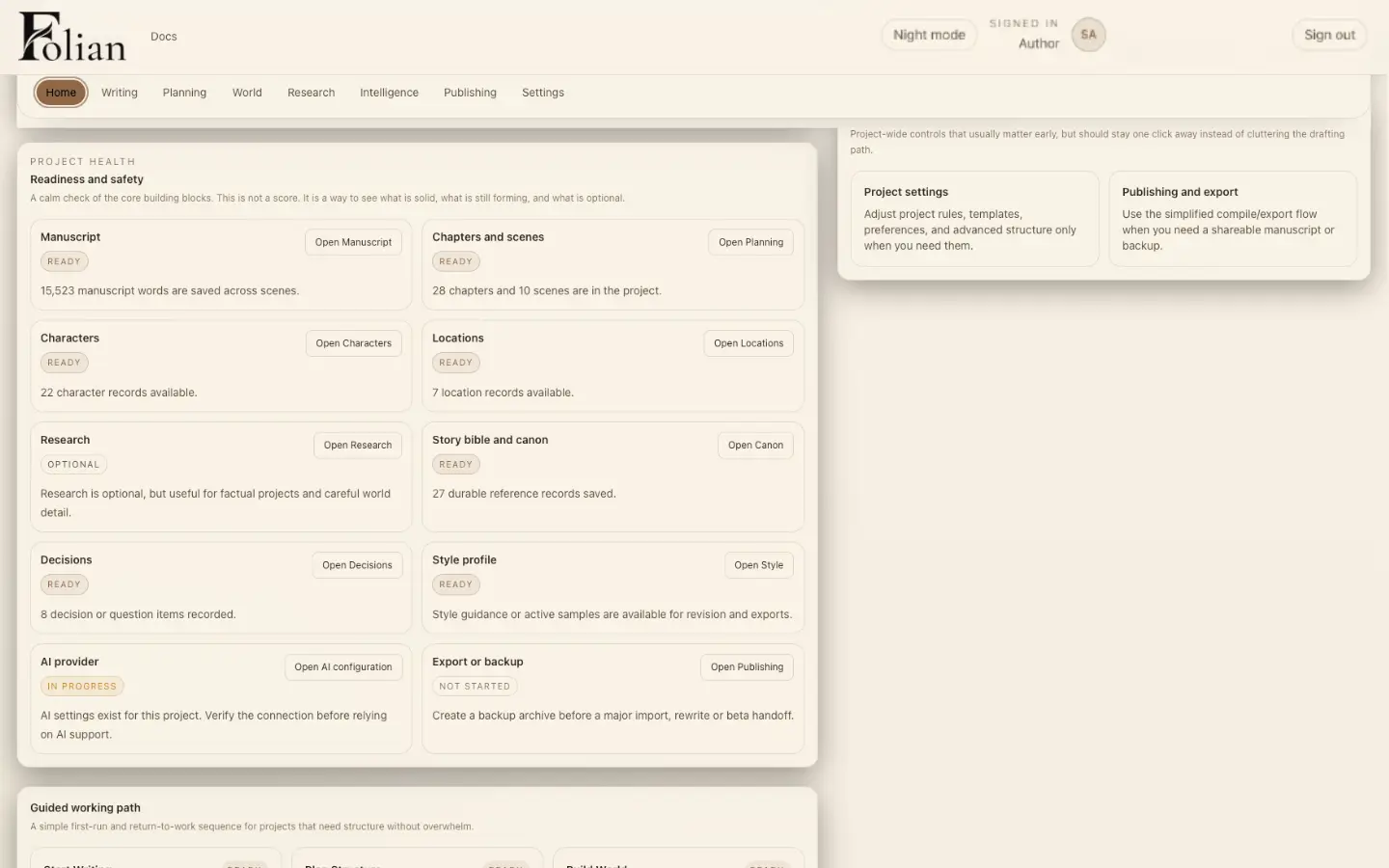
Folian project dashboard in Paper Mode showing manuscript, characters, locations, canon, decisions and export status for The Ashbourne Letters.

See the shape of the project before returning to the page.

The system

One workspace for the whole book

Folian connects the parts of a manuscript that usually end up scattered across documents, spreadsheets, notes and chat threads. For a wider view of the category, read our notes on novel writing software.

Manuscript
Chapters and scenes stay connected to the rest of the project.
Planning
Structure the book visually before or alongside the draft.
Characters
Roles, secrets, conflicts and continuity stay close to the page.
Locations
Places carry history, rules and atmosphere across the manuscript.
Canon
Story facts and rules stay visible as the draft grows.
Decisions
Creative choices get a record instead of disappearing.
Editing
Developmental, line and consistency passes stay project-aware.
Publishing preparation
Export formats and manuscript output stay with the project.
Optional AI
Available when chosen. Never required for the core system.
Local-first control
The project lives on your machine, under your control.

Inside the workspace

Every layer of the book, in one place

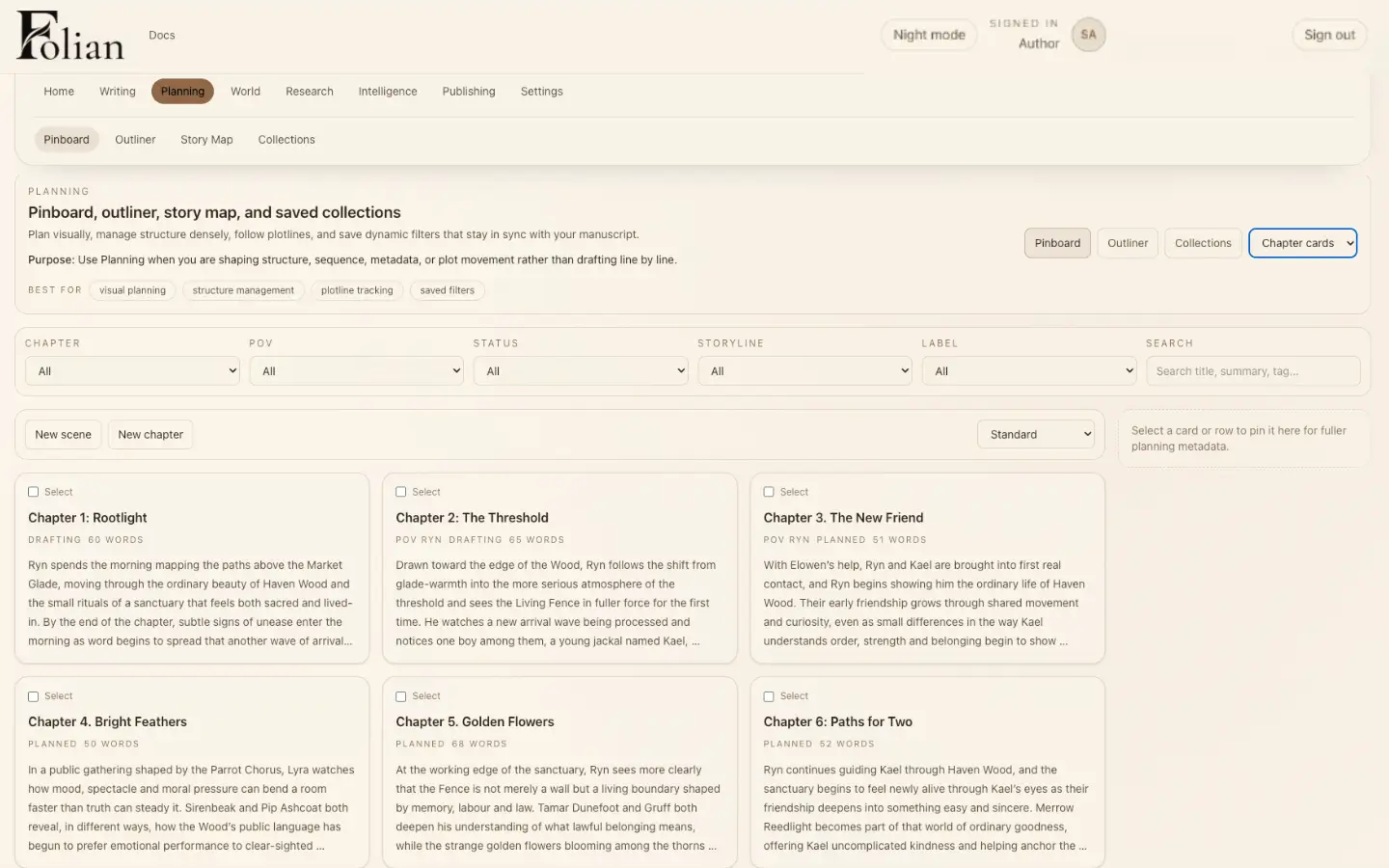
Folian Planning workspace in Paper Mode showing a chapter pinboard with drafting and planned status for The Ashbourne Letters.

Planning

Plan without separating the book from the draft

Planning in Folian stays connected to the manuscript, not like a separate spreadsheet the writer forgets to update.

Chapters and scenes carry their own status, point of view and storyline as the plan and the draft move together.

Shape the book before and during the draft.

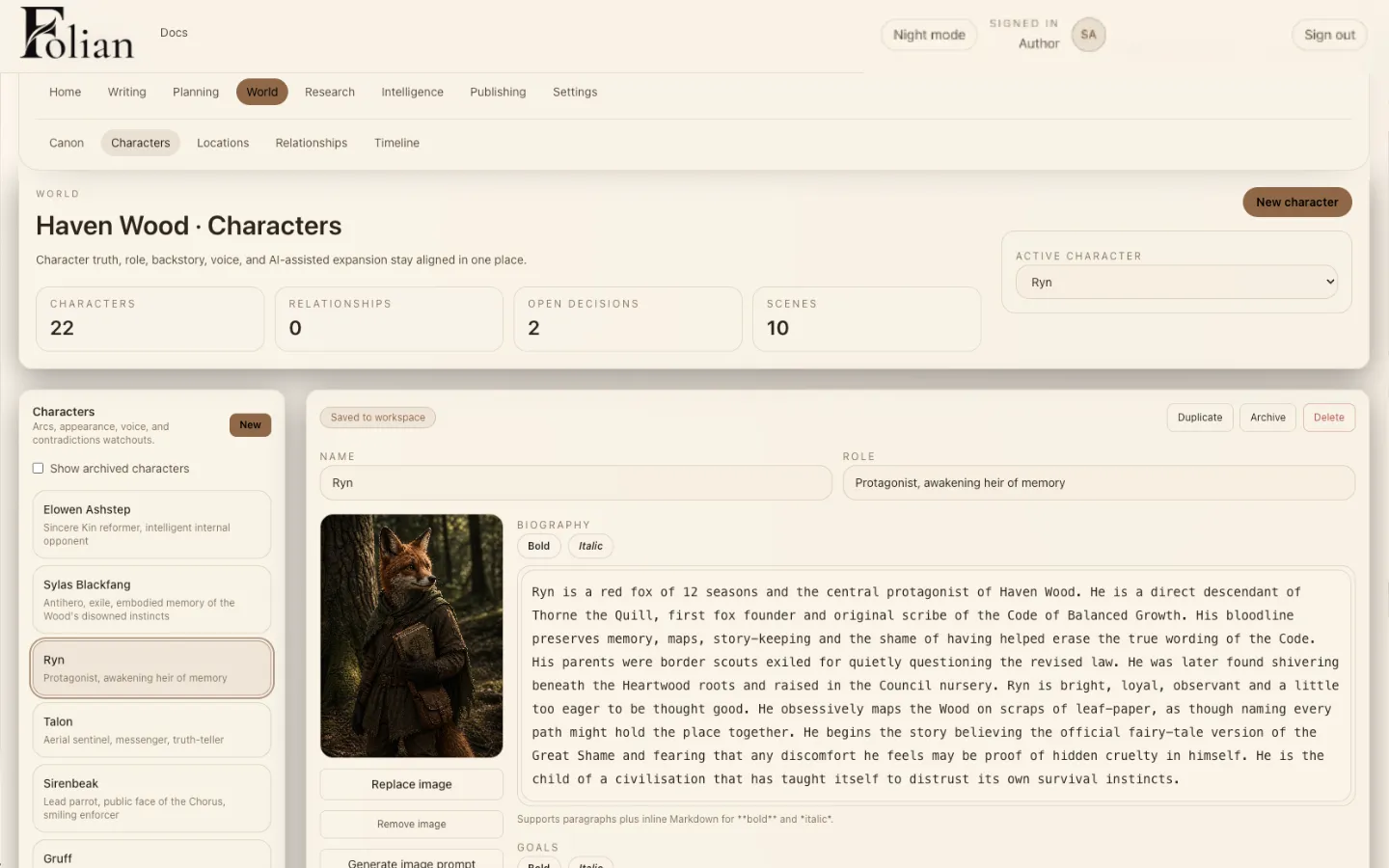
Folian Characters workspace in Paper Mode showing a character profile with biography and role for The Ashbourne Letters world.

Characters

Build characters with memory

Characters need roles, secrets, conflicts, relationships and continuity. Folian keeps that memory close to the writing system.

A character record stays part of the project, not a document that quietly falls out of date as the manuscript grows.

Keep character memory beside the manuscript, not buried in scattered notes.

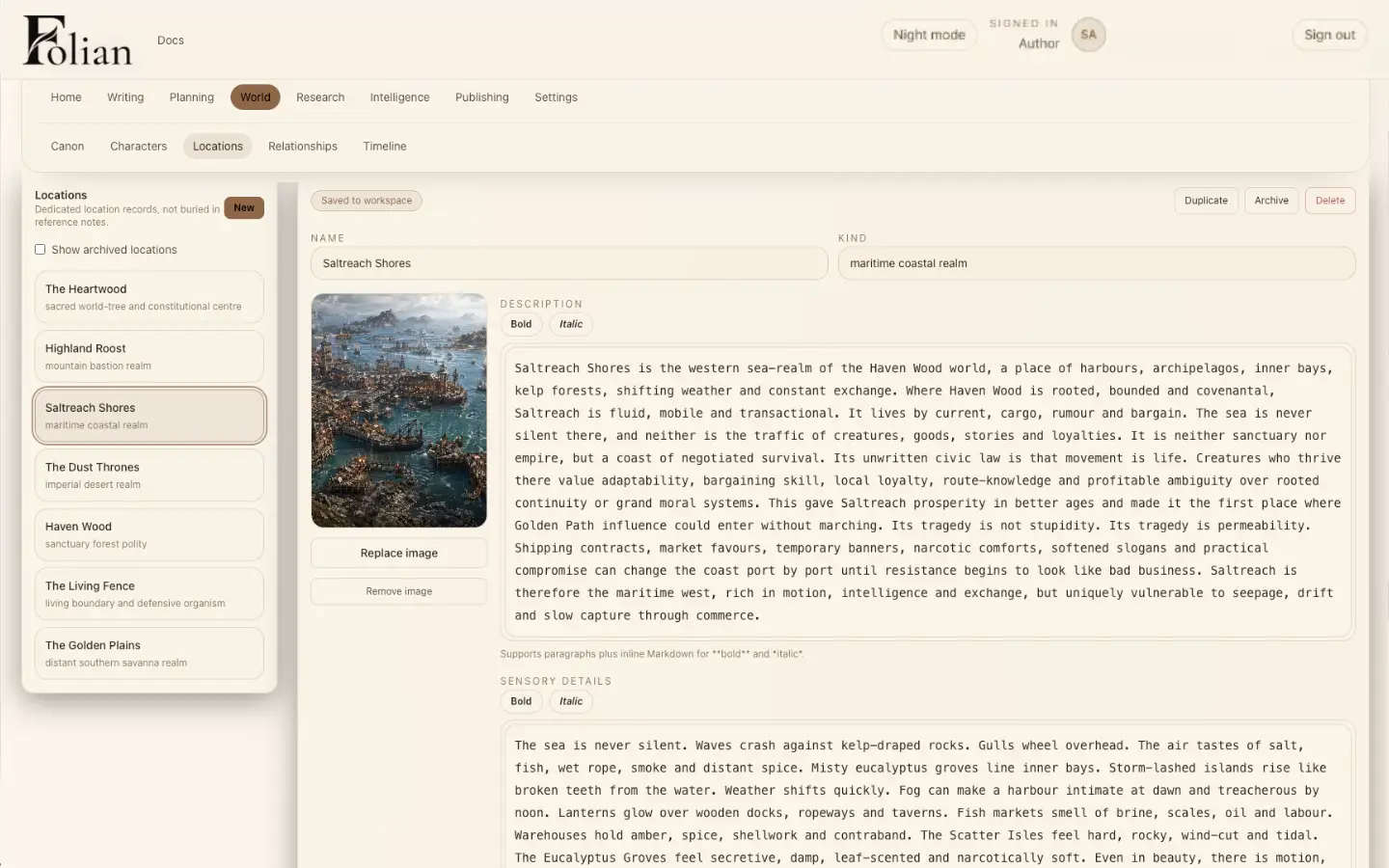
Folian Locations workspace in Paper Mode showing a location record with description and sensory detail for The Ashbourne Letters world.

Locations

Make places part of the story system

Locations are not just settings. They carry history, rules, atmosphere and continuity across the manuscript.

Folian keeps location detail available where it belongs, next to the scenes that depend on it.

Track the places that shape the story.

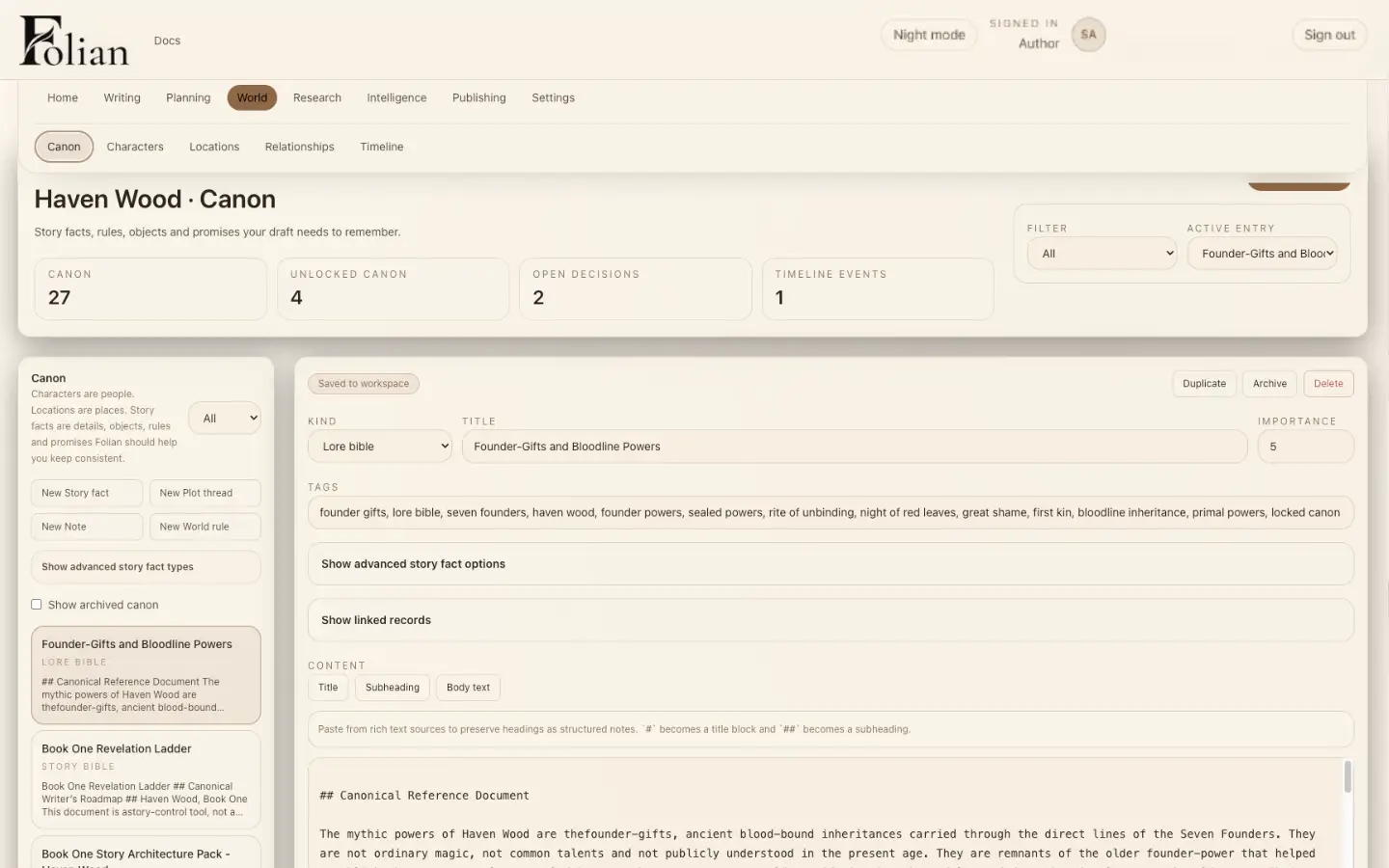
Folian Canon workspace in Paper Mode showing a lore bible entry with tags and canonical reference text.

Canon

Keep canon where the manuscript can use it

Rules, facts, timelines and story truths need a home inside the project. Folian keeps canon visible as the draft grows.

Each canon entry can carry tags, importance and linked records, so continuity stays traceable rather than remembered.

Track the truths that stop a long manuscript from drifting.

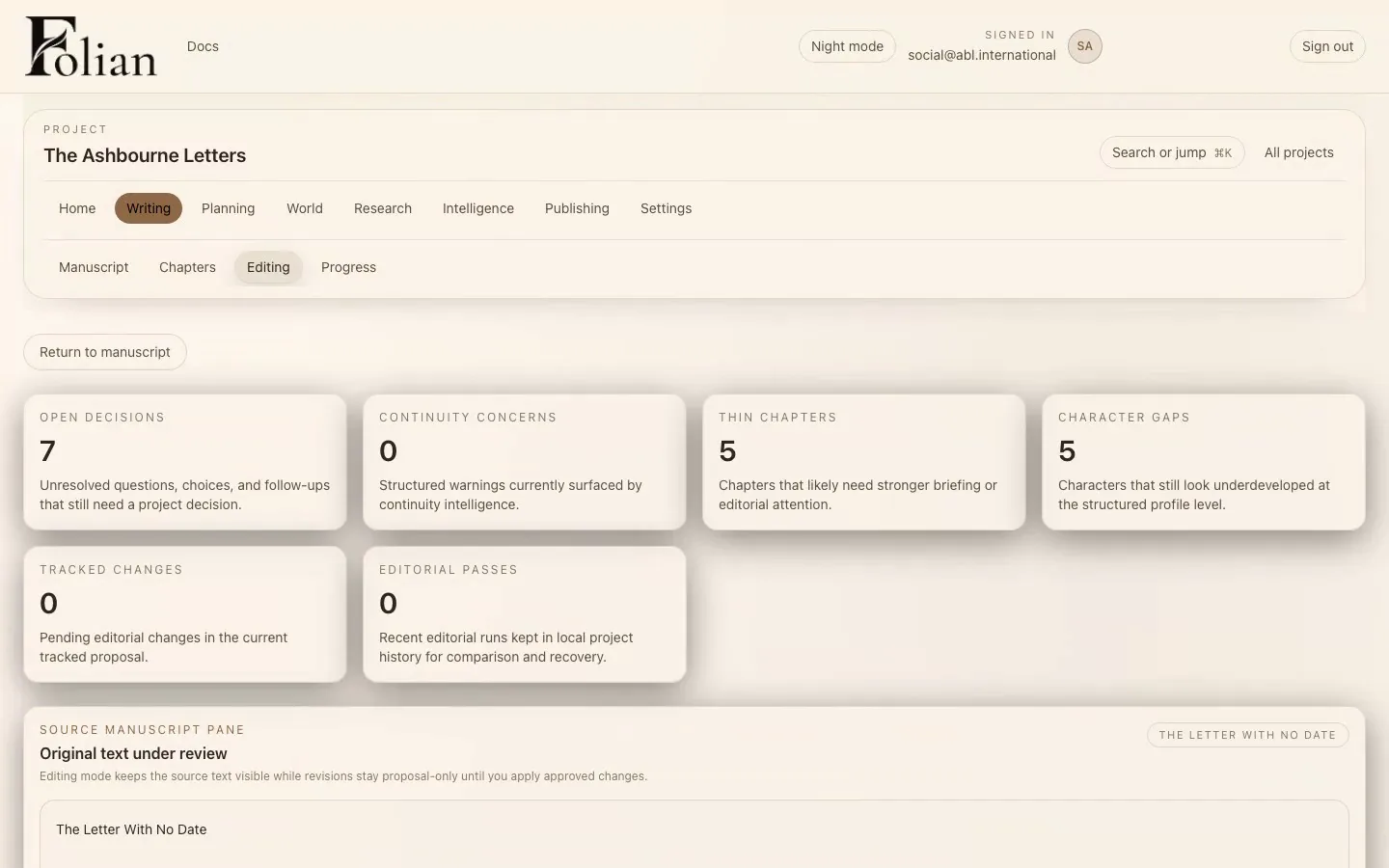
Folian Editing workspace in Paper Mode showing open decisions, continuity concerns and chapter health for The Ashbourne Letters.

Editing

Edit with intent, not guesswork

Editing in Folian supports the author's judgement. Developmental, line, copy, pacing, dialogue and consistency passes stay connected to the project.

Open decisions, continuity concerns, thin chapters and character gaps surface next to the manuscript, so revision starts from real project state.

Move into focused editing without losing the book around the page.

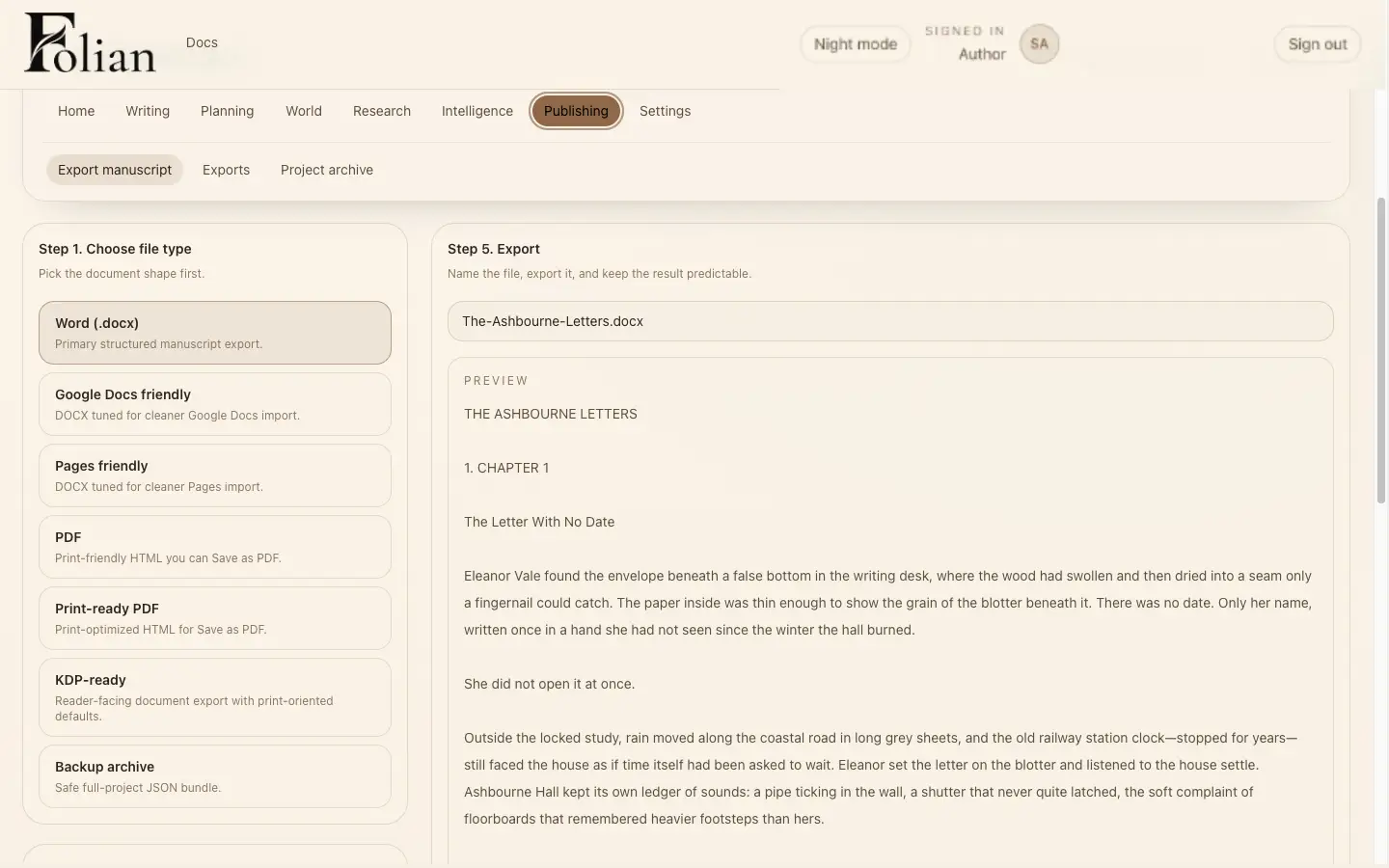
Folian Publishing workspace in Paper Mode showing manuscript export format options and a print-ready preview.

Publishing preparation

Prepare the manuscript for the next stage

Publishing preparation lives with the project, so the author can keep track of output, structure and next steps without losing manuscript context.

Export to the format the next stage needs, whether that is a clean manuscript file, a print-ready preview or a full project backup.

Carry the project from draft toward publishing preparation.

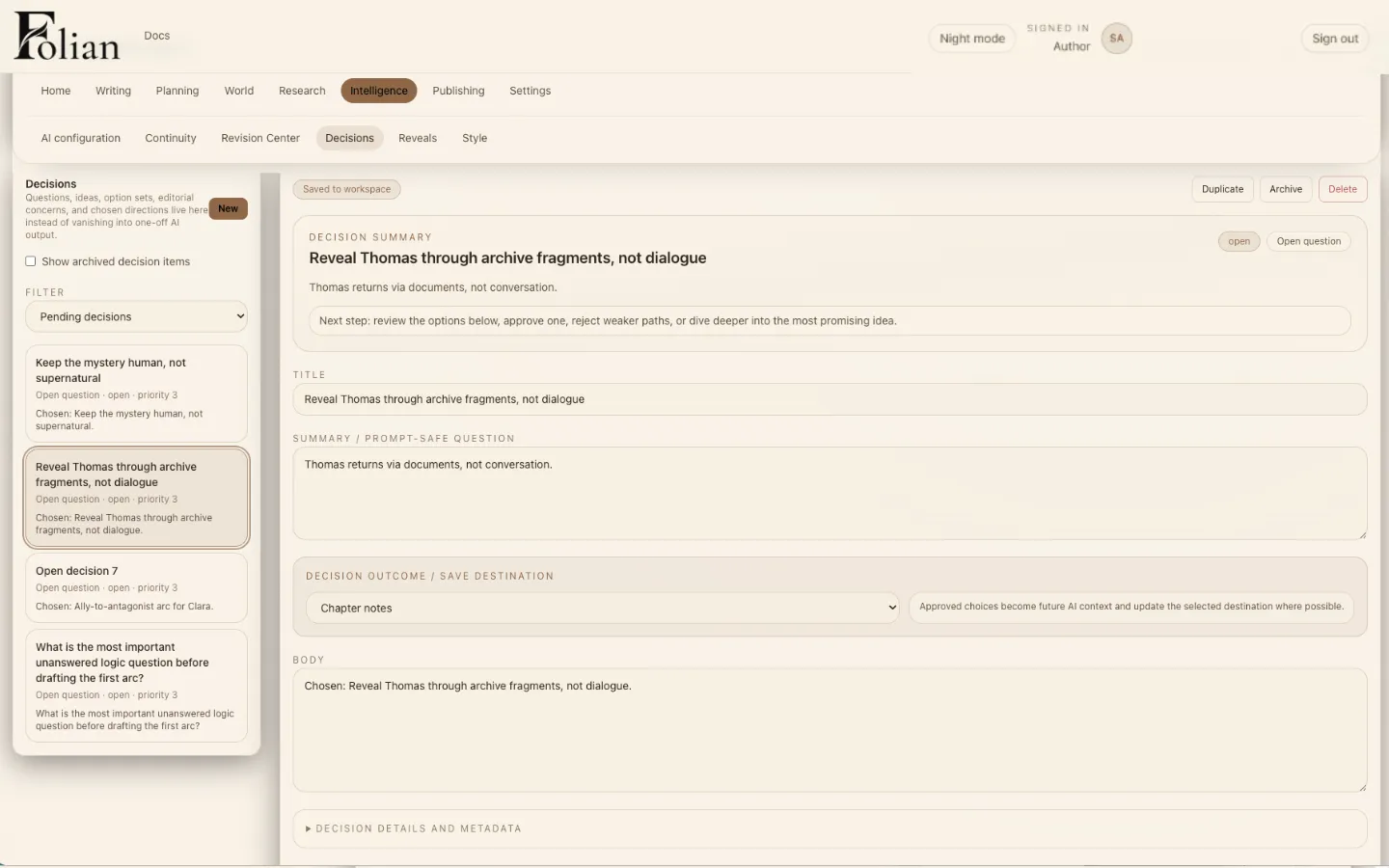
Folian Decisions workspace in Paper Mode showing a resolved creative decision with summary and outcome.

Decisions

Remember why the book changed

Long manuscripts change over time. Folian gives creative choices a home, so the writer can remember what changed, why it changed and what it affects later.

A decision can hold the question that prompted it, the option that was chosen and where that choice should land in the project, so continuity and revision rationale stay part of the project's memory instead of a half-remembered conversation.

Creative decisions become part of the project memory.

Optional AI

Optional AI that works with the project, not above it

Folian can use AI for drafting questions, research, revision and project-aware retrieval when you choose. It is not designed to replace the author. The manuscript, canon and decisions stay in view.

AI runs on a bring-your-own-keys model: you connect your own provider, stay in control of usage, and decide where it belongs in your process. No AI is required for the core writing system. That is a different starting point from most AI writing software for authors, which usually puts the model at the centre of the product.

Why Folian is different

Not a document. Not a chatbot. Not a generator.

Scrivener gives writers structure, but much of the story memory still lives around the manuscript, in separate documents and notes. AI chatbots can be useful, but they lose the shape and continuity of the book between conversations. Generic AI writing software can generate prose, but the deeper architecture of the book often lives somewhere else.

Folian is built around the manuscript, the book's memory and the author's control.

If you are weighing your options, our notes on the best writing app for novels go into more detail on where each type of tool tends to hold up on a long manuscript.

Local-first by design

Your manuscript lives on your machine

Folian is desktop software built around author control. Your manuscript lives on your machine. AI is optional and only used when configured by the writer.

  • Local-first desktop app, not a browser tab
  • Author-owned manuscript: your project lives on your machine
  • AI is optional and only used when configured by you
  • Bring your own keys, so you control provider, model and cost
  • No AI required for the core writing system

Early access

Write the manuscript with the whole system in view

Early access is open to the waitlist while the desktop app is prepared for paid beta. Built for authors already working on a real manuscript.

FAQ

Questions about the Folian product

What is Folian?
Folian is a local-first writing OS for serious authors. It brings the manuscript, planning, characters, locations, canon, decisions, editing and publishing preparation into one desktop workspace, with AI available as an optional layer rather than the centre of the product.
How is Folian different from Scrivener?
Scrivener gives writers strong manuscript structure, but story memory such as canon, decisions and continuity notes usually still lives outside it, in separate documents. Folian keeps that memory inside the same project as the draft, alongside optional AI with real project context.
Is Folian mainly an AI writing tool?
No. Folian is a writing OS first. You can plan, draft, manage characters and canon, record decisions and prepare a manuscript for publishing without ever turning AI on. AI is one optional layer inside a larger system built around the book.
What does local-first mean?
Local-first means Folian is desktop software built around author control. Your manuscript and project files live on your machine, not primarily in someone else's cloud. AI only runs when you choose to configure it with your own provider.
Can Folian manage a story bible?
Yes. Folian's Characters, Locations and Canon workspaces function as a connected story bible, so character history, world detail and story truth stay close to the manuscript instead of scattered across separate notes. Read more about Folian's approach to story bible software.
Can Folian help with canon and continuity?
Yes. The Canon workspace holds the rules, facts and story truths a manuscript depends on, and the Decisions workspace records why those truths changed, so a long project does not quietly contradict itself later. See how Folian approaches canon management for authors.
What are Decisions in Folian?
Decisions are a dedicated place for the creative choices behind a manuscript: what changed, why it changed and what it affects later. Instead of that reasoning living in chat history or memory, it becomes part of the project's own record.
What editing tools does Folian include?
Folian's editing workspace surfaces open decisions, continuity concerns, thin chapters and character gaps alongside the source manuscript, so developmental, line and consistency passes stay connected to the rest of the project instead of happening in isolation.
Who is Folian for?
Folian is for authors working on novels, series and other long-form or structurally complex manuscripts who want the manuscript, story bible, canon and decisions in one place instead of scattered across documents, notes and chat threads.
When will paid beta open?
Folian is currently in early access, open to the waitlist while the desktop app is prepared for paid beta. Join the waitlist for the most accurate timing as that date gets closer.